












Running a Shopify electronics store today is competitive, and simply listing products isn’t enough anymore. Customers compare prices, expect value, and want convenience. If your store sells items individually without guiding buyers toward complementary products, you're likely leaving revenue on the table.
That’s where smart product bundling comes in.
This guide will show you how to use bundles strategically to increase Average Order Value (AOV), conversions, and customer satisfaction, specifically for electronics stores on Shopify.
Also Read: https://wizio.app/blogs/shopify-kitchen-store-product-bundle-strategies
What Are Product Bundles?
Shopify Product bundle are combinations of two or more products sold together, often at a discounted or value-added price.
Instead of selling a phone, you sell: Phone + Case + Charger + Screen Protector.
This increases perceived value while boosting your revenue per customer.
Why Bundling Works for Electronics Stores
Electronics buyers naturally need accessories. Bundling simplifies decision-making and increases purchase intent.
Key Benefits:
- Increase Average Order Value (AOV)
- Reduce cart abandonment
- Improve customer convenience
- Promote slow-moving inventory
- Encourage upsells naturally
Types of Product Bundles (With Examples)
Below are the most effective bundle types specifically for electronics stores.
1. Frequently Bought Together Bundles
Frequently Bought Together Bundle automatically suggests products that are commonly purchased together based on customer behavior.
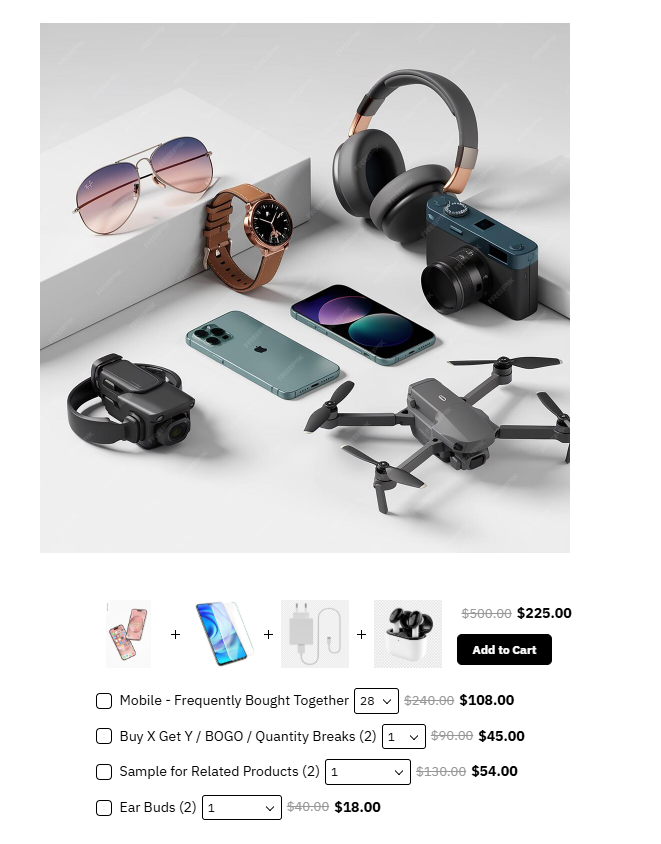
Example: Smartphone + Screen Protector + Fast Charger + Earbuds
Why it works: Customers already intend to buy these items separately. By showing them together:
- You reduce decision friction
- You increase cart size instantly
Advanced Strategy:
- Use past order data to identify patterns
- Highlight savings clearly (e.g., “Save ₹500 when bought together”)
- Add a one-click “Add Bundle to Cart” button
Where to use: Product pages and Cart page upsell section.
2. Accessory Bundles
A primary product paired with essential accessories needed for its usage.
Example: Laptop + Wireless Mouse + Laptop Bag + Cooling Pad and DSLR Camera + Tripod + Memory Card + Camera Bag
Why it works: Electronics often require supporting items. Customers prefer a ready-to-use solution instead of figuring out compatibility.
Advanced Strategy:
- Create “Essential Kit” and “Pro Kit” variations
- Use visual comparison tables (Basic vs Advanced bundle)
- Show compatibility assurance (e.g., “Perfect for MacBook Air M2”)
Where to use: Product pages and Dedicated landing pages
3. Volume / Quantity Bundles
Encourages customers to buy more units in exchange for discounts.
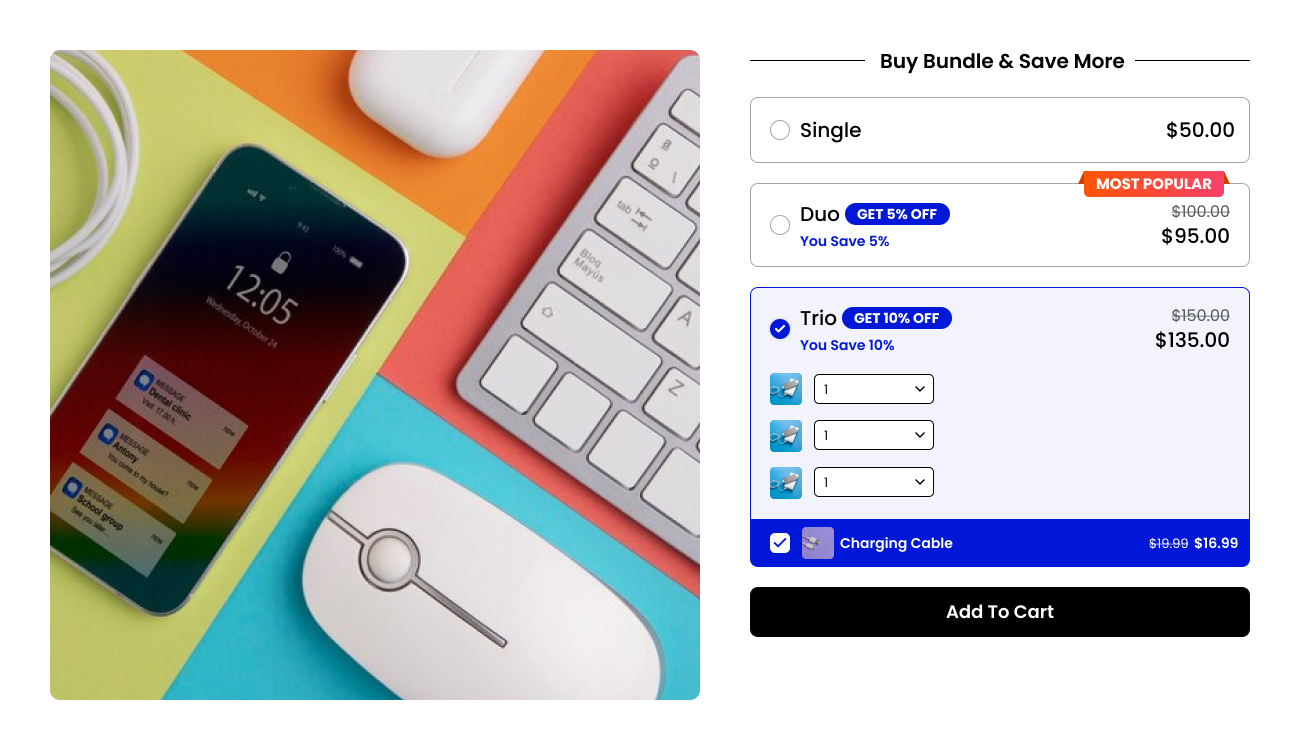
Example: Buy 2 Power Banks → Get 10% OFF and Buy 3 Charging Cables → Save ₹200
Why it works: Perfect for consumables (cables, batteries), gift purchases, and resellers
Advanced Strategy:
- Use tiered pricing:
- Buy 2 → 05% OFF
- Buy 3 → 10% OFF
- Highlight the “Best Value” option
Where to use: Product pages and Quantity selector section
4. Mix & Match Bundles (Build Your Own Bundle)
Allows customers to create their own bundle by selecting products.
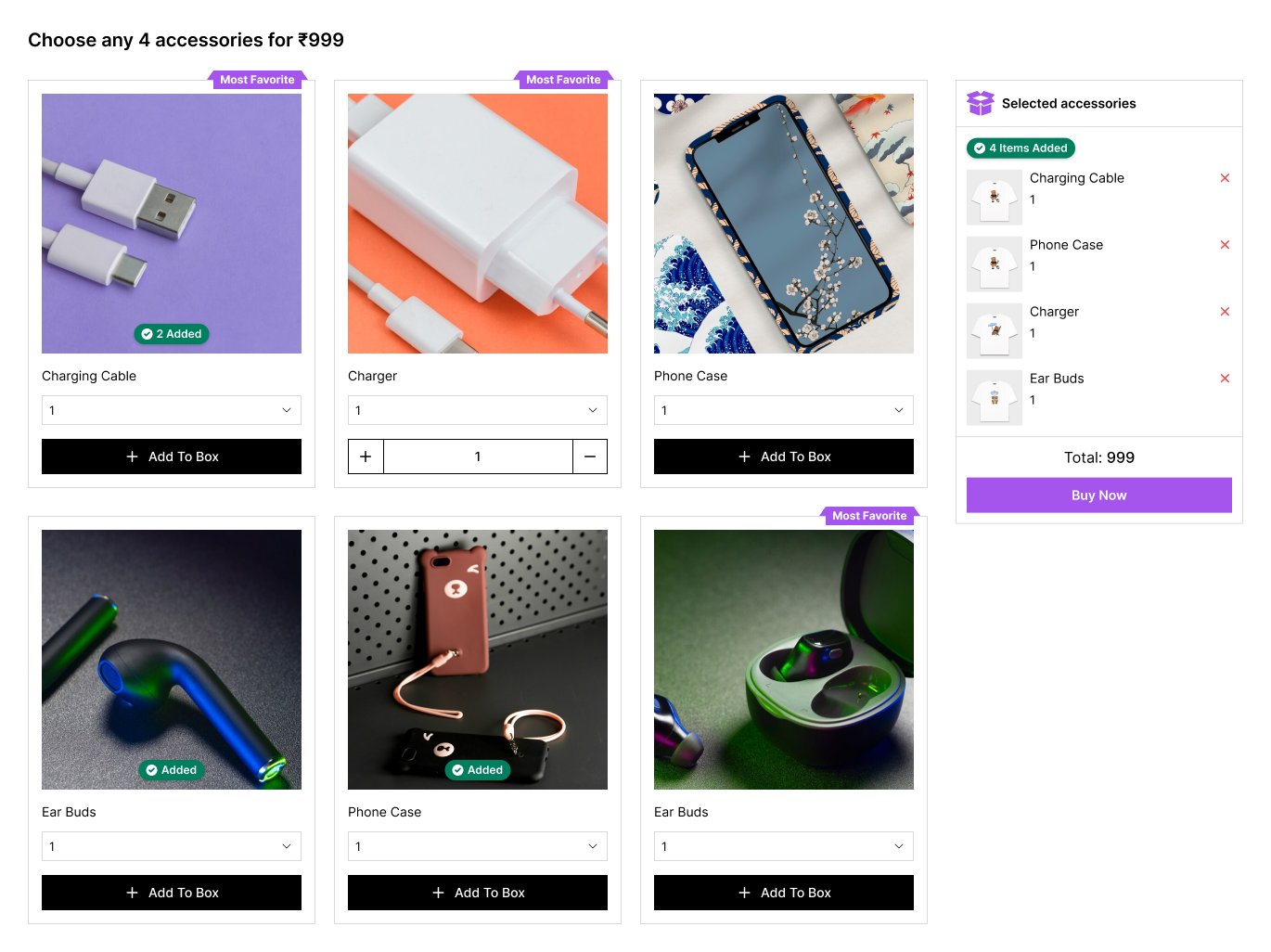
Example: Choose any 4 accessories for ₹999
Why it works:
- Gives customers control
- Increases engagement
- Works well for diverse catalogs
Advanced Strategy:
- Set minimum/maximum selection rules
- Offer dynamic discounts based on selections
- Use progress bars (“Add 1 more item to unlock 10% OFF”)
Where to use: Dedicated bundle page and Homepage promotions
5. Starter Kits / Combo Packs
Bundles designed for beginners or first-time buyers.
Example:
Gaming Starter Kit:
- Gaming Mouse
- Keyboard
- Headset
- Mousepad
Content Creator Kit:
- Ring Light
- Microphone
- Tripod
Why it works:
New customers often feel overwhelmed. Starter kits:
- Remove confusion
- Increase trust
- Speed up decision-making
Advanced Strategy:
- Target specific audiences (gamers, students, professionals)
- Add educational copy (“Everything you need to start gaming”)
Where to use: Category pages and Landing pages
6. Seasonal or Promotional Bundles
Limited-time bundles are created around events, sales, or festivals. Know more about promotional pricing.
Example:
- Diwali Offer: Smart TV + Soundbar + HDMI Cable
- Back-to-School Kit: Tablet + Stylus + Cover
Why it works:
- Creates urgency (limited-time deals)
- Aligns with buying intent during events
Advanced Strategy:
- Use countdown timers
- Highlight “Limited Stock”
- Add festive branding
Where to use: Homepage banners and Campaign landing pages
Bundle Types Overview
| Bundle Type | Best For | Goal | Example |
|---|---|---|---|
| Frequently Bought Together | High-demand products | Increase AOV | Phone + Charger + Earbuds |
| Accessory Bundles | Core product + add-ons | Convenience | Laptop + Mouse + Bag |
| Volume Bundles | Repeat-use items | Bulk sales | Buy 3 cables, save 15% |
| Mix & Match | Flexible selection | Engagement | Pick any 3 for ₹999 |
| Starter Kits | New users | Simplify buying | Gaming setup kit |
| Premium Bundles | Upselling | Higher margins | Camera Pro Kit |
| Seasonal Bundles | Campaign sales | Urgency | Diwali electronics combo |
| Cross-Category Bundles | Use-case solutions | Problem solving | Work-from-home kit |
How to Create Bundles on Shopify
Shopify doesn’t provide advanced bundling natively, so apps are essential.
Basic Steps:
- Identify high-demand products
- Analyze buying behavior
- Create bundle combinations
- Set pricing/discount logic
- Display bundles on product pages
- Track performance and optimize
Using the Wizio Bundle App for Electronics Stores
One of the most effective tools for Shopify merchants is the Wizio Bundle app.
Why Wizio Works Well for Electronics:
- Create Frequently Bought Together bundles easily
- Offer mix & match bundles
- Set volume discounts
- Fully customizable bundle UI
- Works seamlessly with Shopify themes
Example Use Case:
Let’s say you sell smartphones:
Using Wizio, you can:
- Show “Buy Together & Save” section
- Let users add accessories in one click
- Increase AOV without friction
This is especially powerful for electronics, where add-ons are essential.
Conclusion
If you’re running a Shopify electronics store and not using bundles, you’re missing one of the easiest ways to increase revenue.
Start with simple bundles like accessories or frequently bought together, then scale into advanced options like mix & match and starter kits. And if you want to implement this quickly and effectively, tools like the Wizio Shopify Product Bundle app can help you launch high-converting bundles without technical complexity.
The sooner you implement bundling, the faster you’ll see growth in AOV and overall sales.
Frequently Asked Questions
1. Do product bundles really increase sales in electronics stores?
Yes. Electronics naturally require accessories, making bundles highly effective for increasing AOV and conversions.
2. Can I create bundles without an app on Shopify?
Basic bundles are possible, but for advanced features like dynamic pricing and mix & match, apps like Wizio are necessary.
3. What is the best bundle type for beginners?
Start with Frequently Bought Together bundles, it’s simple and highly effective.
4. Will bundles affect inventory management?
Yes, but modern apps automatically sync inventory, so you don’t need to manage it manually.