












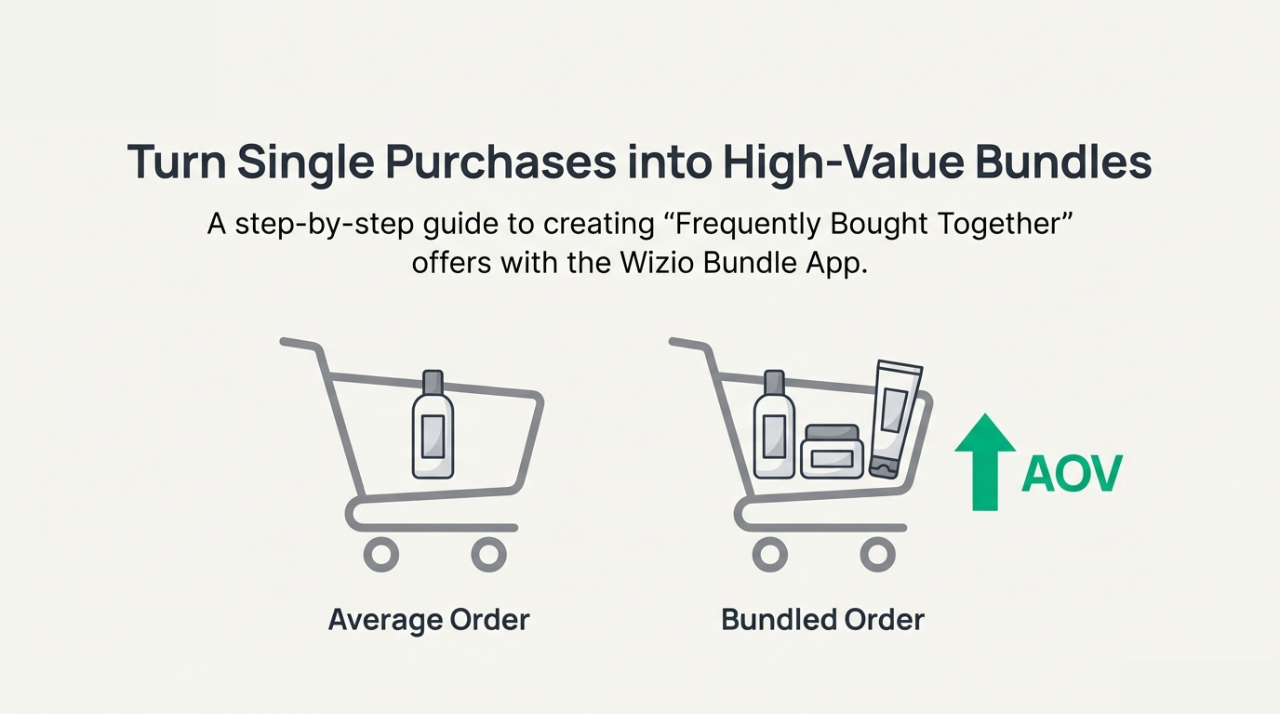
Increasing your Shopify store's Average Order Value (AOV) doesn't always require more traffic. Sometimes, it's about helping customers buy more in a single purchase, naturally and effortlessly.
That's where Frequently Bought Together (FBT) bundles come in.
This guide is written for Shopify beginners, growing brands, and advanced merchants looking to boost revenue using smart bundling strategies.
Also Read: https://wizio.app/blogs/quick-fixes-shopify-bundle-problems
What Is Frequently Bought Together (FBT)?
Frequently Bought Together (FBT) is an eCommerce strategy that recommends complementary products commonly purchased with a main item and displays them as a bundle directly on the product page.
For example:
- A printer + ink cartridges
- A shirt + matching pants
- A mobile phone + case + screen protector
Instead of relying on customers to search for related items, FBT bundles remind them at the right moment, making the buying decision easier and faster.
This strategy:
- Increases AOV
- Improves the shopping experience
- Boosts cross-sell and upsell revenue
- Reduces friction in decision-making
Watch the guide video, don’t miss the step-by-step video tutorial for quick implementation.
Step-by-Step: How to Add Frequently Bought Together Bundles on Shopify
Now, let's walk through the exact step-by-step process to create an FBT bundle using the Wizio Bundle app, aligned with the YouTube tutorial.
Step 1: Open the App & Navigate to Frequently Bought Together
- Open the Wizio Shopify Bundle App
- Click on "Frequently Bought Together"
- Click Create Offer
Step 2: Add Bundle Information
Enter:
- Bundle Name
- Bundle Title
- Button Text (e.g., "Add All to Cart")
Optional:
- Enable Compare Price to highlight savings.
Step 3: Select Target Products
Choose where the bundle should appear:
- All Products (store-wide FBT)
- Specific Products (targeted bundles)
This allows precise control over visibility.
Step 4: Set Product Conditions & Priorities
- Choose product properties to show related items.
- Add multiple conditions
- Drag & drop to set priority order.
- Or manually select products for specific bundles.
This helps create highly relevant recommendations.
Step 5: Choose Offered Products & Discounts
- Select the products to include in the bundle.
- Choose discount type:
- Full discount
- Partial discount
- Explore various discount options available.
Step 6: Customize Bundle Appearance
Wizio offers customization options to:
- Match your store's design.
- Adjust layout and styles.
- Ensure clarity and visual appeal.
Step 7: Preview the Bundle
- Use the live preview panel on the right.
- Review how the bundle looks on product pages.
Step 8: Save & Publish
- Click Save
- Use the View icon to check the live appearance.
- Scroll the product page and confirm visibility.
Ensure the bundle is:
- Easy to understand
- Visually appealing
- Clearly value-driven
If you have any questions or need help with setup, you can always reach out through email or chat support. We're happy to help you get the most out of your frequently bought together bundles.
Learn how to create a Buy One Get One Bundle on Shopify to boost sales, step by step in this guide.
How Shopify Frequently Bought Together Works
Shopify doesn't offer built-in advanced FBT logic by default. To create dynamic, customizable, and scalable FBT bundles, merchants rely on Shopify apps.
These apps allow you to:
- Group products into bundles
- Apply discounts (full or partial)
- Show compare-at prices
- Control where bundles appear
- Customize layout and design.
- Preview bundles before publishing
This is essential for stores that want flexibility, control, and conversion-focused design.
Why You Need a Shopify Frequently Bought Together App
A Shopify Frequently Bought Together app helps you go beyond basic product recommendations.
With the right app, you can:
- Create unlimited FBT bundles.
- Use conditions & priorities.
- Offer Buy X Get Y, volume discounts, or free gifts.
- Display bundles on specific products or store-wide.
- Ensure compatibility with Online Store 2.0 themes.
This is where the Wizio Shopify Bundle App fits perfectly.
Why Frequently Bought Together Bundles Work So Well
FBT bundles work because they align perfectly with how customers think and shop.
Here's why they convert:
- Reduced effort: Customers don't need to search for related items
- Psychological nudging: "Others bought this" builds trust
- Convenience: One-click add-to-cart simplifies checkout
- Perceived value: Bundles often feel like a better deal
Major brands like Amazon popularized FBT for a reason, it consistently drives higher order values without hurting user experience.
Frequently Bought Together vs Frequently Purchased Together
These two terms are often used interchangeably, but there's a subtle difference:
| Term | Meaning |
|---|---|
| Frequently Bought Together | Products often bought together in the same order |
| Frequently Purchased Together | Products purchased by the same customers over time |
On Shopify, both strategies are used to:
- Recommend relevant products
- Build smarter bundles
- Increase cart value
Most Shopify Frequently Bought Together apps support both approaches using conditions, rules, or purchase data.
Benefits of Using Frequently Bought Together Bundles on Shopify
Frequently Bought Together bundles help Shopify store owners increase revenue by encouraging customers to add complementary products to their cart without extra effort.
Adding FBT bundles to your Shopify store can deliver measurable business results:
- Higher Average Order Value (AOV)
- Better cross-sell & upsell performance
- Fewer abandoned carts
- Improved customer experience
- Faster buying decisions
- More relevant product recommendations
Instead of aggressive upselling, FBT feels helpful and natural, which is why customers respond positively.
Introducing Wizio Shopify Bundle App
The Wizio Shopify Bundle App makes it easy to create high-converting Frequently Bought Together bundles, product bundles, and smart discount offers with full control, customization, and seamless compatibility across all Shopify themes, helping you boost AOV without complicating the buying experience.
With Wizio, you can create:
- Frequently Bought Together (FBT) bundles
- Product bundles & quantity breaks
- Buy One Get One (BOGO) offers
- Buy more, save more discounts
- Cart drawer upsells with free gifts
- Build-a-box (BYOB) bundles
The Wizio Shopify Bundle App is designed to help merchants increase revenue and AOV using advanced bundling strategies.
Final Thoughts
Frequently Bought Together bundles are no longer just a nice-to-have feature for Shopify stores, they're a proven strategy to increase sales, improve customer experience, and maximize revenue from existing traffic.
By presenting relevant products together at the right time, you help customers make faster decisions while increasing the value of each order.
With the right approach and a reliable solution like the Wizio Shopify Bundle App, you can create visually appealing, easy-to-understand bundles that feel natural to shoppers and deliver measurable results for your business.
Frequently Asked Questions
1. What is Frequently Bought Together?
Frequently Bought Together (FBT) is an eCommerce feature that shows a group of complementary products that customers often purchase along with a main item. These products are displayed together as a bundle on the product page, allowing shoppers to add all items to their cart with a single click.
2. Is Frequently Bought Together Real?
Yes, Frequently Bought Together is a real and proven eCommerce strategy used by some of the world's largest online retailers. It is based on actual customer purchasing behavior and product relationships, not guesswork.
3. How to Add Frequently Bought Together in Shopify?
To add Frequently Bought Together on Shopify, you need a dedicated Shopify Frequently Bought Together app, as Shopify does not provide advanced FBT functionality by default. Using an app like Wizio Shopify Bundle App, you can easily create FBT bundles.
4. Can I show FBT bundles on specific products only?
Yes, you can target bundles for specific products or collections.
5. Do FBT bundles work on mobile?
Yes, when properly optimized, they perform very well on mobile devices.