













One of the biggest reasons Shopify stores plateau isn't traffic, it's Average Order Value (AOV). Customers land on a product page, buy one item, and leave. They never see the other 200 products in your catalog that they'd probably also want.
Product recommendations fix this. A study of 300 ecommerce companies found that product recommendations account for a whopping 31% of revenue on average when shoppers engage with them, and stores using personalized suggestions have reported conversion rates up to 4.5x higher than stores that don't.
Whether you've searched for shopify product recommendations, shopify recommended products, related products shopify, or the best product recommendation app shopify has to offer, this guide covers all of it, what these features actually are, how to set them up for free using Shopify's native tools, and when a dedicated app like Wizio is worth adding on top.
Also Read: Creating product-specific bundles on Shopify
What Are Related, Recommended, Complementary & Suggested Products?
If you've searched several versions of this term, it's because Shopify, and the ecosystem around it, uses them almost interchangeably. Here's what each actually means:
Related products
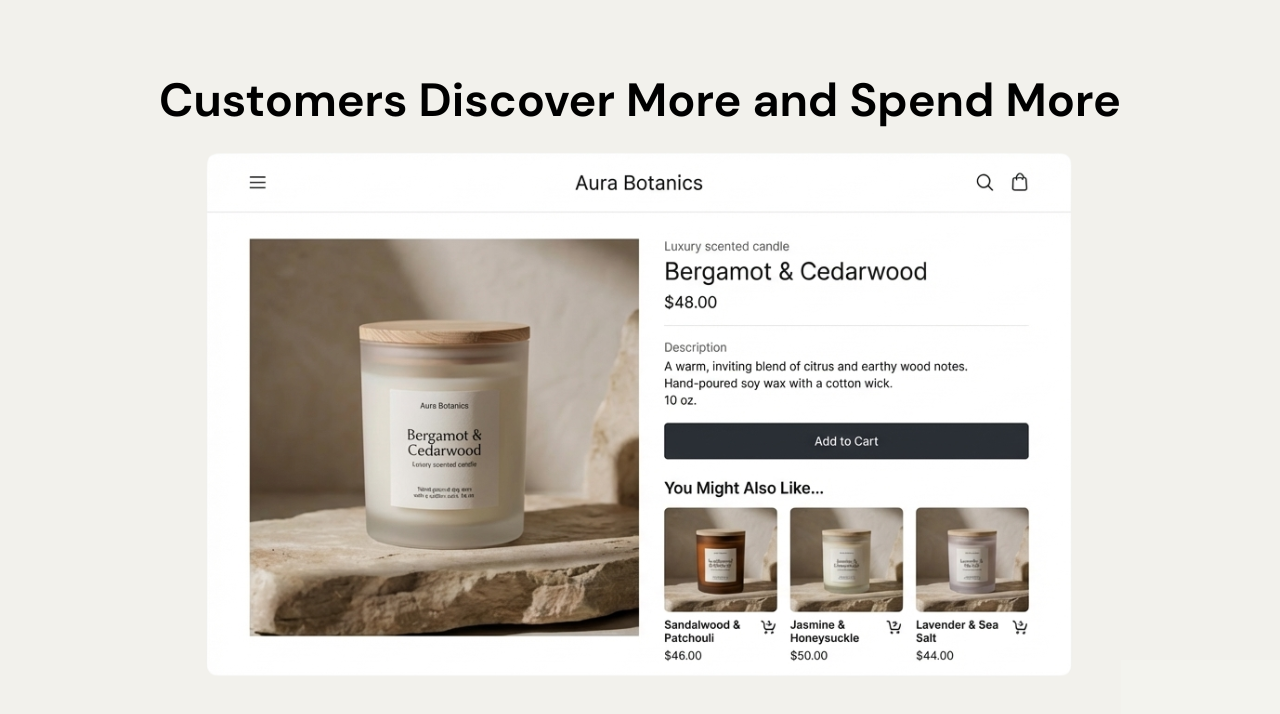
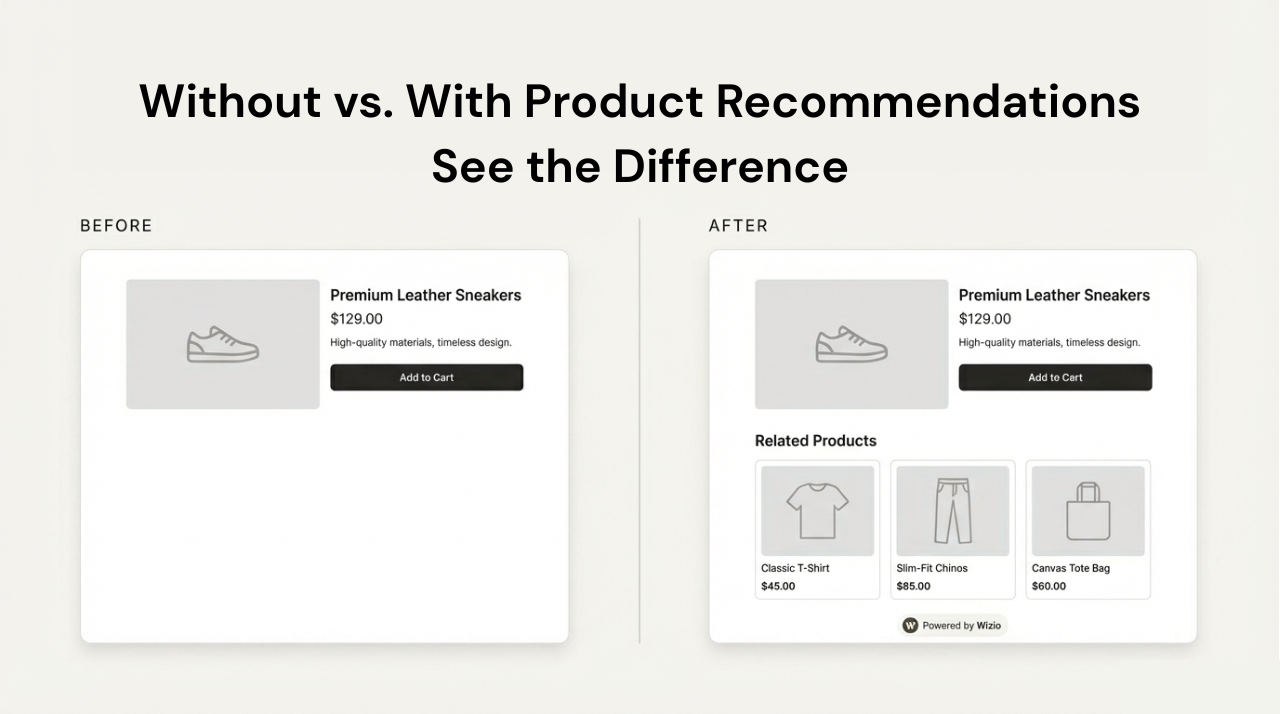
Items similar to the one being viewed, based on product type, tags, vendor, or collection (e.g., a customer viewing one hoodie sees other hoodies). On Shopify, these are auto-generated by Shopify's own recommendation algorithm unless you override them manually.
Complementary products
Items that pair with the product being viewed, not items like it (e.g., a phone case for a phone). These are never auto-generated you choose them yourself.
Recommended products / Suggested products
Generic umbrella terms merchants and shoppers use for both of the above. When someone says "Shopify recommended products," they usually mean whatever appears in that "You may also like" block on a product page.
Frequently Bought Together
A specific recommendation format (popularized by Amazon) that bundles items other customers purchased alongside this one, usually with an "add all to cart" button.
Also Read: Upsell vs. Cross-Sell: Key Differences
Method 1: Shopify's Free Native Product Recommendations
Before installing anything, know this: Shopify has a built-in, 100% free way to show related and complementary products, through the Search & Discovery app (published by Shopify itself). Most merchants searching "shopify recommended products" don't realize this already exists.
What it can do
-
Auto-generate Related products using Shopify's own AI model, based on product attributes and purchase behavior no setup needed.
-
Let you manually hand-pick Complementary products for specific items (e.g., "pairs well with").
-
Mix both manually chosen picks fill first, Shopify's automatic suggestions fill any remaining slots.
How to set it up
-
From your Shopify admin, go to Apps > Search & Discovery (install it free from the Shopify App Store if you don't have it).
-
Click Product recommendations, then Add recommendations.
-
Select the product you want to customize.
-
Choose up to 10 Complementary products and up to 10 Related products.
-
Decide whether the page should show only your custom picks or blend them with Shopify's auto-generated ones.
-
Click Save.
-
In your theme editor, make sure the Related products section and Complementary products block are added to your product page template — some themes require this manually.
The limitations
This native method is genuinely good for small catalogs, but it has real ceilings: only two recommendation types (related + complementary), no rules based on cart contents or browsing history, no A/B testing, no cart-drawer or post-purchase placements, and a practical limit around 5,000 products / 25 filter attributes. Once your catalog or traffic grows past that, a dedicated app starts to earn its cost.
Understanding this distinction matters because it decides which tool you need: Shopify gives you related and complementary products for free. Frequently Bought Together–style bundling requires an app.
Watch the Step-by-Step Tutorial on YouTube
Watch the guide video, don't miss the step-by-step video tutorial for quick implementation.
How to Add Related Products / Product Recommendations on Shopify to Increase Cart Value using the Wizio Shopify Bundle App
The video includes:
- Real Shopify store example
- Screen recording from app installation to setup
- Live preview of related products on the storefront
If you prefer learning visually, this tutorial will guide you end-to-end.
How to Add Related Products on Shopify Using Wizio Shopify Bundle App (Step-by-Step)
Step 1: Install the App
From your Shopify admin, install the Wizio Shopify Bundle App.
No coding or theme edits required.
Step 2: Open Related Products Feature
- Go to Wizio Dashboard
- Click on Related Products
This feature lets you create Shopify related products rules for specific items.
Step 3: Select Product Properties
Choose how related items should be displayed based on:
- Product type
- Tags
- Vendor
- Collection
You can select multiple conditions for better accuracy.
Step 4: Set Priority Order
- Drag & drop properties
- The top rule is applied first
- More properties = more tailored recommendations
This ensures only the most relevant Shopify suggested products appear.
Step 5: Save & Preview
- Click Save
- Use View Your Online Store
- Check how related products appear on the product page
That's it, your Shopify recommended products are now live.
You can also explore this quick guide on creating Shopify BOGO bundle offers, including a short video walkthrough that shows how to set up Buy One Get One deals using Wizio to increase cart value.
Why Product-Specific Recommendations Work Better Than Generic Bundles
Generic, storewide bundles often fail because they show irrelevant items, overwhelm customers, and reduce trust. Product-specific recommendations focus on a single hero product and surface only the most relevant add-ons.
Benefits:
-
Higher relevance
-
Better conversion rate
-
Cleaner UI
-
Stronger perceived value
This is exactly how high-performing Shopify stores use related products to increase cart value — see also our breakdown of why AOV matters more than traffic for sustainable growth.
UX Principles Behind High-Converting Recommendations
Effective Shopify recommended products follow these core principles:
- Relevance: The closer the recommendation matches customer intent, the higher the conversion.
- Perceived Value: Bundles and add-ons feel like a "smart deal," not a forced upsell.
- Simplicity: Too many choices reduce action. 2-5 related products work best.
- Low Friction: Customers should be able to add items with one click, without leaving the page.
Main Types of Product Recommendations on Shopify
Here are the most effective recommendation formats used by Shopify merchants:
- Related Products - Similar or complementary items
- Frequently Bought Together - Amazon-style bundles
- Quantity Breaks - Buy more, save more
- BOGO & Free Gift Offers - Boost perceived value
- Build-a-Box Sets - Custom bundles
- Cart Drawer Upsells - Last-moment add-ons
A powerful app should support all of these, without coding.
Why Wizio Shopify Bundle App Is the Best Choice for Smart Product Recommendations
Wizio is not just another bundling or upsell tool, it is a conversion-focused solution built specifically for Shopify merchants who want to increase Average Order Value (AOV) without hurting the customer experience. Unlike generic apps that apply the same offer across your entire store, Wizio allows you to create product-specific product recommendations that feel natural, relevant, and helpful to shoppers.
With Wizio, you can create:
- Product-specific quantity breaks
- Frequently bought together bundles
- BOGO & free gift offers
- Build-a-box sets
- Related products & recommendations
- Cart drawer upsells with progress bars
Key Benefits:
- No coding required
- Fast setup
- Works with all Shopify themes
- High customization control
- Flexible pricing plans
- Supports multiple & unlimited bundles
If you're serious about shopify related products, Wizio is a complete solution.
Final Thought: Start Increasing Cart Value with Product Recommendations
If you want to increase cart value without relying on discounts or more traffic, start with your existing product pages. Try Shopify's free Search & Discovery setup first if you haven't it takes minutes. Then layer in an app like Wizio once you're ready for Frequently Bought Together, BOGO, or cart-drawer recommendations. When suggestions are relevant and well-placed, customers don't feel sold to they feel guided.
With the Wizio Shopify Bundle App, increasing cart value becomes a repeatable system rather than a one-time experiment, helping you build a more profitable, customer-friendly Shopify store.
Frequently Asked Questions
1. Does Shopify have a built-in related products feature?
Yes. Shopify's free Search & Discovery app auto-generates related products and lets you manually add complementary products, no app purchase required.
2. Is Shopify Search & Discovery really free?
Yes, it's a free app published by Shopify. Paid recommendation apps add extra formats like Frequently Bought Together, BOGO, cart-drawer upsells, and A/B testing.
3. What's the difference between related and complementary products on Shopify?
Related products are similar to the one being viewed (auto-generated by Shopify). Complementary products pair with it and must be chosen manually.
4. What are related products in Shopify, in simple terms?
Complementary or similar items shown on a product page to encourage additional purchases.
5. How are product recommendations different from bundles?
Recommendations focus on relevance and discovery; bundles focus on value and discounts, usually with a combined price.
6. How do I add recommended products to my product pages?
Use Shopify's free Search & Discovery app for basic related/complementary products, or a bundling app like Wizio for rule-based, product-specific recommendations plus bundles.
7. What's the best product recommendation app for Shopify?
It depends on your need: Search & Discovery (free) for basic setups, Wizio for recommendations plus bundles/upsells in one tool, and platforms like LimeSpot or Rebuy for deep AI personalization across email and SMS.
8. Does adding product recommendations slow down my store?
Not if the app is built for performance. Wizio, for example, is optimized to avoid impacting page load speed.
9. Does Wizio work with all Shopify themes?
Yes, it's theme-compatible and requires no coding.
10. How many related products should I show per page?
Generally 2–5. More than that tends to reduce conversion rather than help it.